Trusted by
AI innovators:
AI Support, automated
Resolve Faster with AI Workflows
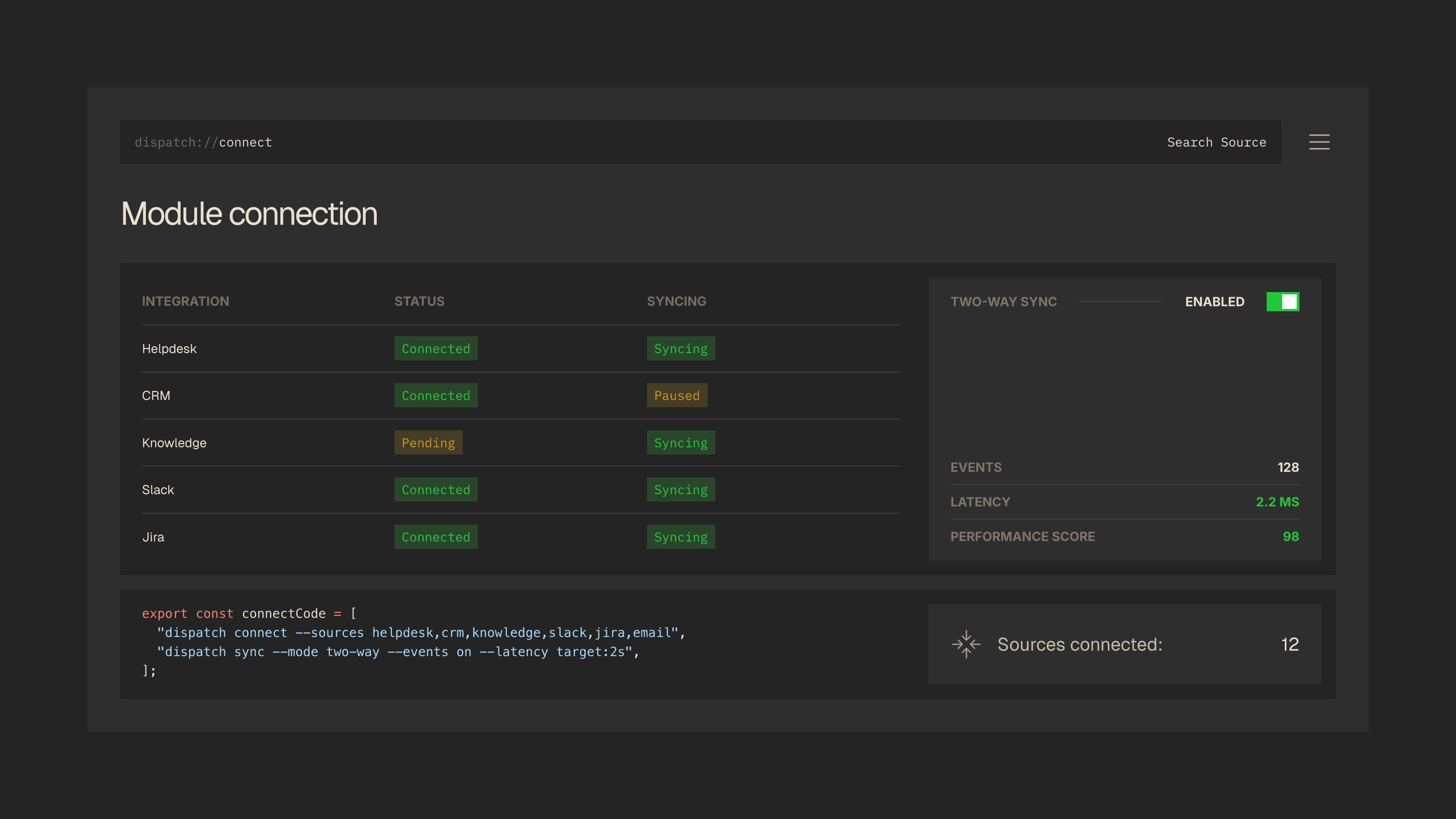
Connect your help center, knowledge base, and CRM software. Dispatch resolves tickets, updates records, and trigs workflows
02
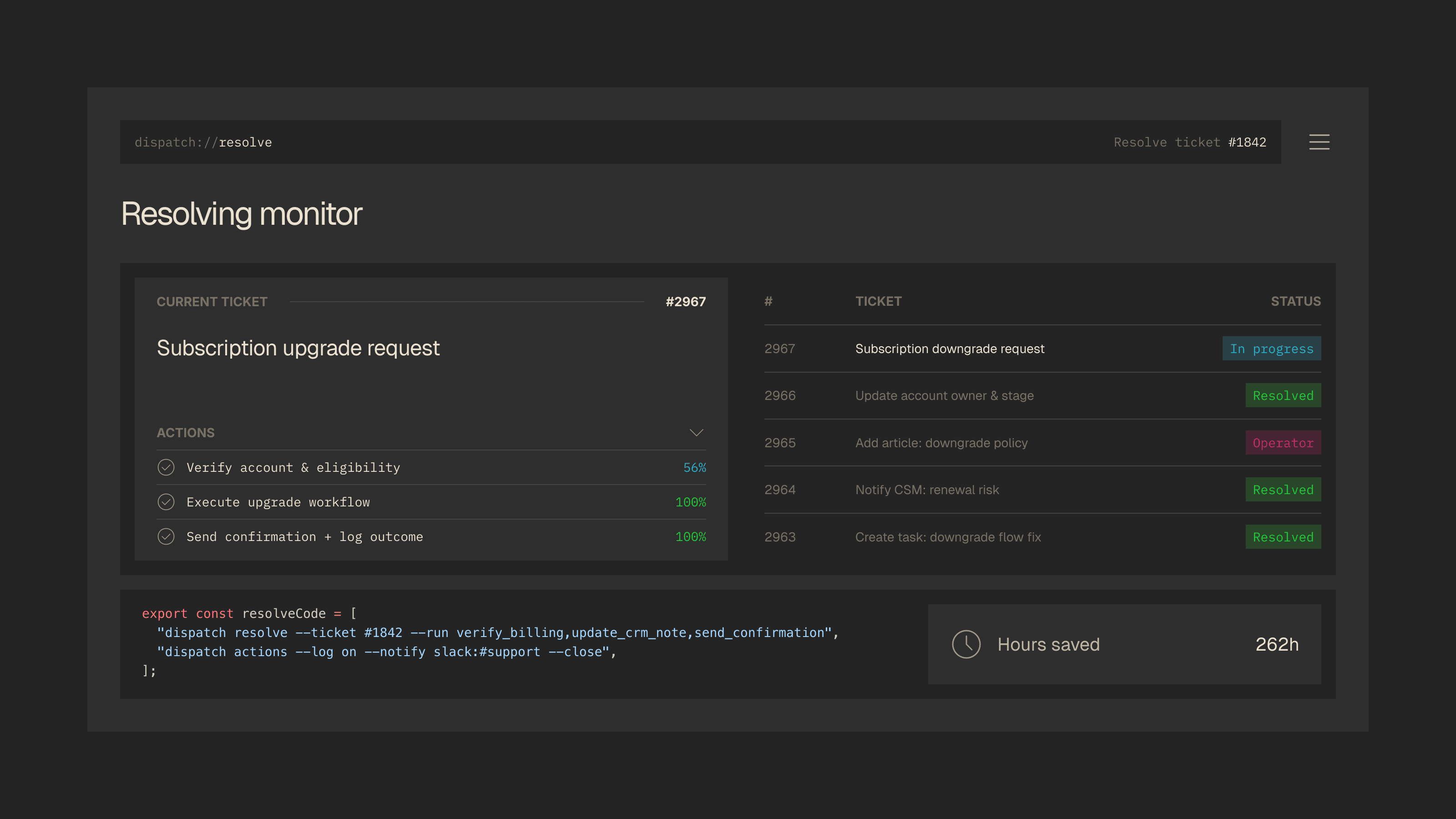
Action Layer
Plug into Helpdesk, CRM and Chat
Capture requests across channels.
Unified Inbox Signals.
03
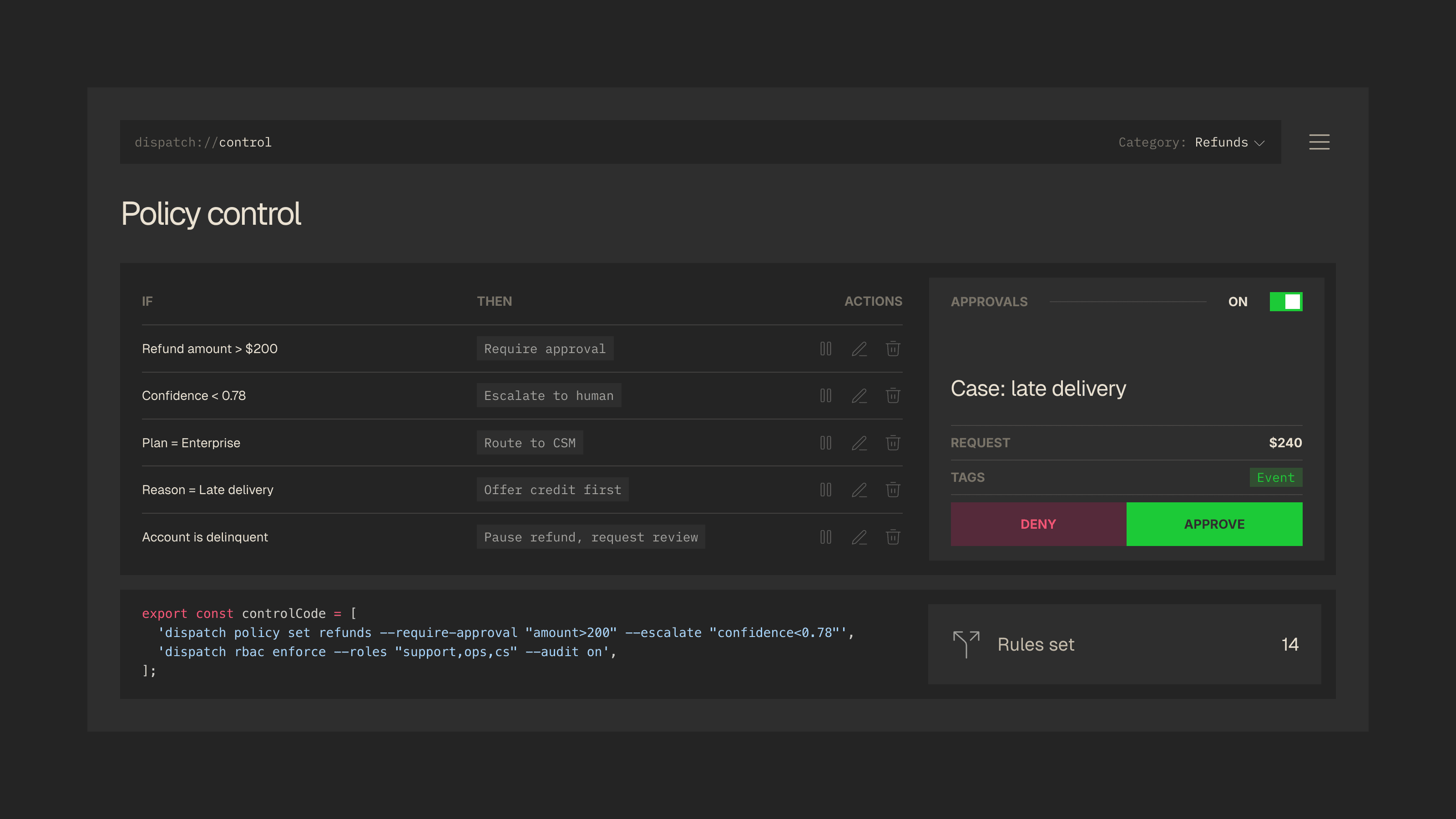
Control Layer
Plug into Helpdesk, CRM and Chat
Capture requests across channels.
Unified Inbox Signals.
04
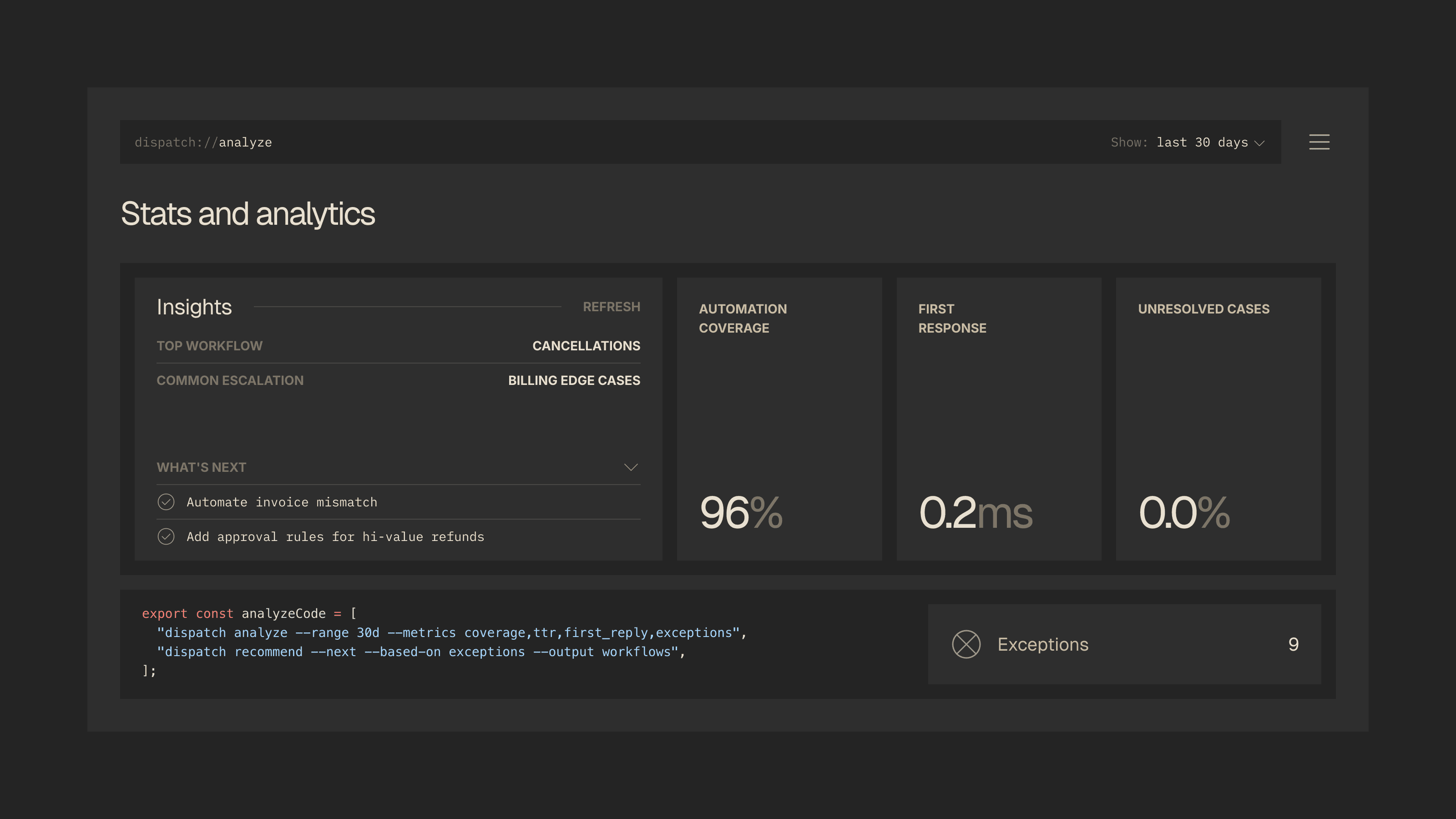
Context Layer
Plug into Helpdesk, CRM and Chat
Capture requests across channels.
Unified Inbox Signals.
Overview
Dispatch is an AI-powered operations layer for support teams that turns customer requests into completed work.
It connects your helpdesk, knowledge base, and CRM to resolve tickets, run approved workflows, and keep records accurate so your team ships faster outcomes with full visibility and control.
Refund request
Workflow example
01
Verify policy
02
Require approval
03
Update CRM
04
Send confirmation
SOURCE CONNECT
Connect helpdesk, CRM, and knowledge.
ACTION RUNNER
Execute updates, tasks, and notifications.
APPROVAL GATE
Require approval for sensitive actions.
AUDIT + INSIGHTS
Track every change and spot patterns.
Capabilities
Four layers that connect, decide, and execute.
Dispatch is built as a four-layer system that connects your stack, applies policies and approvals, and then executes real actions
Numbers
The performance behind the workflows
Clear visibility into execution, automation, and throughput improvements.
WEEKLY TICKETS
Helpdesk + CRM workflows
1,231
SU
MO
TU
WE
TH
FR
SA
MANUAL WORK
CRM updates automated
38k
Internal handoffs automated
6.4k
Tasks created automatically
4.2k
OPS THROUGHPUT
Monthly requests per agent
139%
RESOLUTION MODE
Agent
72%
Human
28%
RESOLUTION GROWTH
Gated by approvals
+65.5%
FEB
MAR
COVERAGE GROWTH
Processes automated
+247%
1
15
30
AUTOMATION COVERAGE
With policies + approvals
69%
Features
Core systems that power every workflow
Real-time performance across tickets and automation showing how Dispatch improves speed and operational consistency.
Context Assembly
001
Unify data from your helpdesk, CRM, and knowledge base into one structured operational view.
Policy & Approvals
002
Apply configurable rules, review sensitive actions, and keep execution aligned with internal standards.
Action Execution
003
Trigger updates, modify records, and complete real system actions — with full visibility and auditability.
Integrations
Connect AI to the tools your team already uses
Our platform integrates directly with your core infrastructure so it can retrieve data, trigger workflows and act in real time.
Pricing
Simple plans that scale with you
Transparent pricing designed to grow with your team — from first workflows to enterprise-scale operations.
Testimonials
What our partners
say about Dispatch
Dispatch is trusted by fast-growing SaaS teams that need visibility, structure, and control across their support operations.





Blog
Articles, notes, updates, and latest case studies
Insights on support operations, automation design, and the systems behind scalable execution.




FAQ
Frequently asked
questions
If you manage high transaction volumes, multiple entities, or require custom integrations, our team can
Do I need to train the AI myself?
No. Dispatch learns from your existing knowledge base, past tickets, and CRM data. It gets smarter over time based on agent corrections and resolved outcomes.
What integrations do you support?
Dispatch integrates with major helpdesks (Zendesk, Intercom, Freshdesk), CRMs (Salesforce, HubSpot), and knowledge bases out of the box. Custom integrations are available on Pro and Enterprise plans.
Can I control what Dispatch automates?
Absolutely. You set the guardrails — define which actions require approval, which can auto-execute, and which stay manual. Dispatch follows your policies, not its own.
Is my data safe?
Yes. Dispatch is SOC 2 Type II compliant with end-to-end encryption, role-based access controls, and full audit trails. Your data never leaves your approved infrastructure.
How long does setup take?
Most teams are up and running in under a day. Dispatch plugs into your existing stack through native integrations — no custom engineering or migration required.
What does Dispatch actually do?
Dispatch is an AI operations layer for support teams. It connects your helpdesk, knowledge base, and CRM to resolve tickets, run approved workflows, and keep records accurate — automatically, with full visibility and control.